WhatsApp newsletters let businesses engage directly with customers. With chatlyn, setting up a WhatsApp newsletter is straightforward and effective. This guide will walk you through every step.
Step-by-Step Guide to Creating a WhatsApp Newsletter Template
Step 1: Create a WhatsApp Business Account
To get started, you need a WhatsApp Business account. This allows you to manage customer interactions professionally and access advanced features necessary for your newsletter.
1.1 Download and Install the WhatsApp Business App
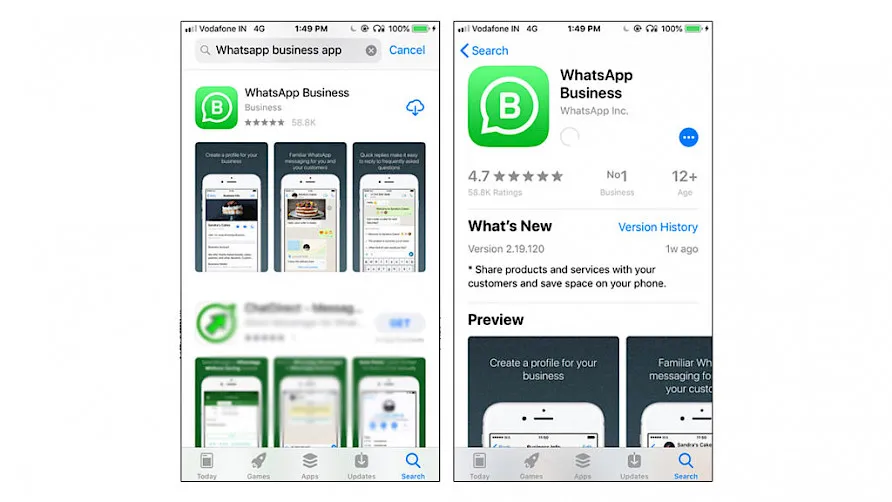
Begin by downloading the WhatsApp Business app from the App Store or Google Play. Install and open the app to create your business profile.
1.2 Set Up Your Business Profile
Fill in your business details such as name, description, and contact information. This will help customers recognise your business when they receive your newsletters.
Step 2: Integrate WhatsApp with chatlyn
Integration with chatlyn allows you to automate and manage your WhatsApp newsletters efficiently.
2.1 Sign Up for a chatlyn Account
If you haven't already, sign up for a chatlyn account. Choose a plan that fits your business needs. We recommend the Plus Plan for comprehensive WhatsApp functionality.
2.2 Connect WhatsApp to chatlyn
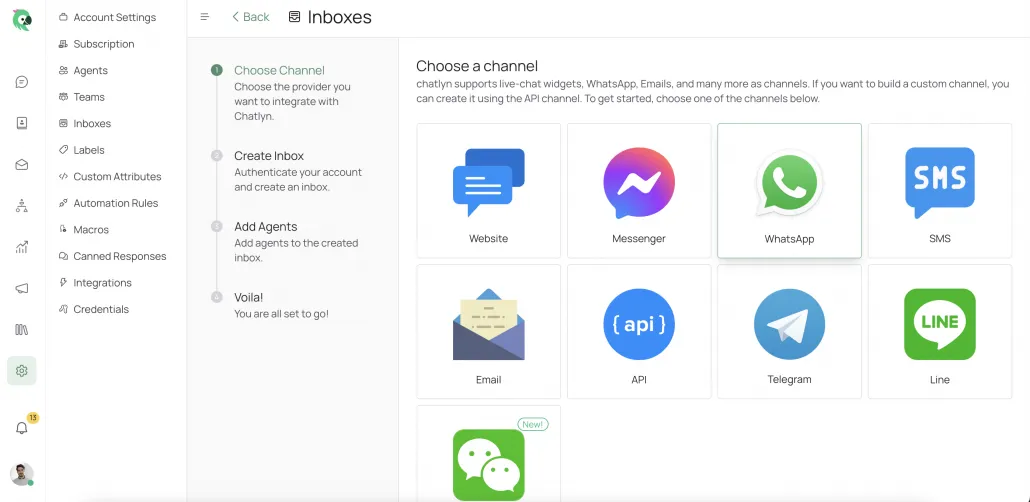
In your chatlyn dashboard, go to the integrations section and connect your WhatsApp Business account. This will enable you to use chatlyn's features like automation and analytics with WhatsApp.
Step 3: Build Your Audience
Before sending newsletters, build a list of subscribers who have opted in to receive updates from you.
3.1 Collect Subscriber Opt-ins
Ensure that customers have consented to receive messages via WhatsApp. Use sign-up forms, popups, or QR codes on your website to collect phone numbers.
3.2 Segment Your Audience
Use chatlyn's segmentation tools to categorise your audience based on demographics, behaviour, or other attributes. This will allow you to send more targeted and relevant newsletters.
Step 4: Create Your Newsletter Content
Now it's time to craft the message that will be sent out to your subscribers.
4.1 Choose Your Content Type
Decide on the type of content you want to include: special offers, product updates, how-to guides, etc. Keep the content brief and engaging.
4.2 Design Your Message
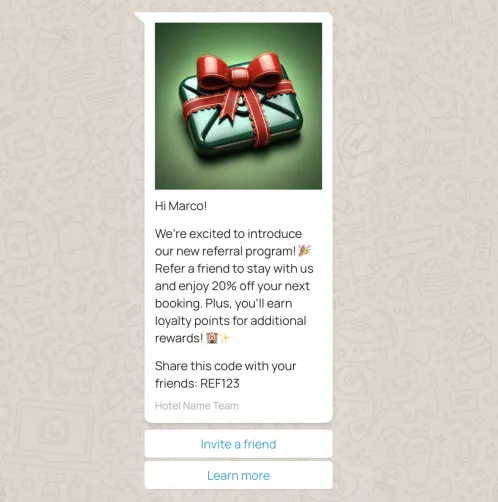
In chatlyn, use the WhatsApp template builder to design your message. You can add text, images, videos, and buttons (like call-to-action buttons) to make your newsletter interactive.
4.3 A/B Testing
Before sending out your newsletter, use A/B testing in chatlyn to experiment with different versions of your message. This will help you determine which version resonates best with your audience.
Step 5: Schedule and Send Your Newsletter
Once your message is ready, it’s time to send it out.
5.1 Schedule Your Broadcast
In chatlyn, you can schedule your newsletter to be sent at the optimal time for your audience. Choose the best time based on your audience's engagement patterns.
5.2 Monitor Delivery and Engagement
After sending your newsletter, monitor its performance using chatlyn's analytics dashboard. Track open rates, click-through rates, and responses to optimise future campaigns.
Step 6: Analyse and Optimise
Continuous improvement is key to successful WhatsApp newsletters.
6.1 Review Performance Metrics
Use chatlyn’s detailed analytics to review the performance of your newsletter. Identify what worked well and areas for improvement.
6.2 Optimise Future Campaigns
Based on the insights gained, refine your content, segmentation, and scheduling for future newsletters. Regularly update your strategy to ensure maximum engagement.
How to create a WhatsApp Newsletter Examples - Real-World Examples and Case Studies
To help you understand how to implement these steps effectively, here are some real-world examples:
- Example 1: How a D2C Brand Increased Sales by 30% with WhatsApp Newsletters
- Example 2: Boosting Engagement with Personalised WhatsApp Content
- Example 3: Using A/B Testing to Improve Newsletter Performance
Boost Your WhatsApp Newsletter with chatlyn's Automation Studio
To truly maximise the impact of your WhatsApp newsletters, consider using chatlyn's Automation Studio. This feature lets you automate various aspects of your marketing strategy, ensuring timely and personalised communication with your customers.
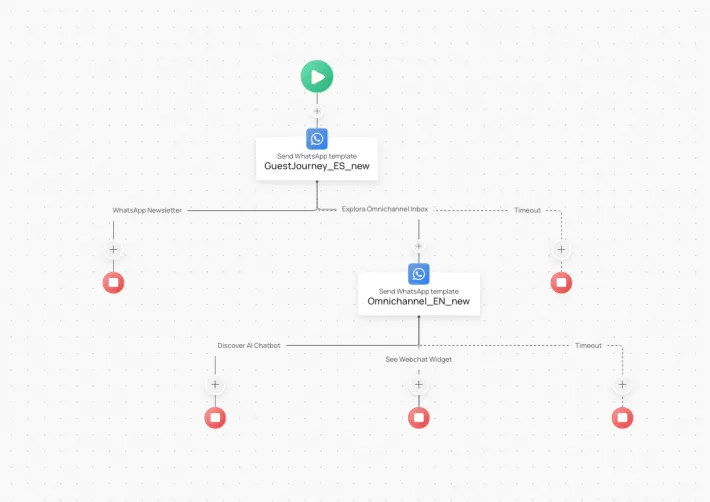
What is Automation Studio?
chatlyn's Automation Studio is a tool that lets you create automated workflows based on customer actions and behaviours. Whether it's sending out follow-up messages, reminders, or personalised offers, Automation Studio ensures that your communication is always relevant and timely.
How Automation Studio Enhances Your WhatsApp Newsletter
- Personalised Follow-Ups: Automatically send personalised follow-up messages after a customer opens your newsletter, engaging them further based on their interests.
- Triggered Campaigns: Set up triggers for specific customer actions, like completing a purchase or abandoning a cart, to send targeted WhatsApp messages.
- Scheduled Updates: Use the Automation Studio to schedule regular updates, such as booking confirmations, special offers, and reminders, without manual intervention.
Real Examples of WhatsApp Automation with chatlyn
Here are some practical examples of how you can use Automation Studio to enhance your customer interactions:
1. Sending Booking Confirmations
Automatically send a WhatsApp message to customers confirming their booking, complete with all relevant details like dates, location, and contact information.
// Example Workflow: Booking Confirmation Trigger: Booking Confirmed in CRM Action: Send WhatsApp Message Message: "Hello [Customer Name], your booking for [Service Name] on [Date] has been confirmed!
2. Offering Special Discounts
Set up an automated message to send special offers or discounts to customers who have interacted with your previous newsletters but haven't made a purchase yet.
// Example Workflow: Special Offer Trigger: No Purchase in 7 Days After Newsletter Open Action: Send WhatsApp Message Message: "Hi [Customer Name], we noticed you checked out our latest updates! Here’s a special offer just for you: [Offer Details]. Don’t miss out!"
3. Sending Reminders and Follow-Ups
Use Automation Studio to remind customers of upcoming events, appointments, or to follow up on incomplete actions like abandoned carts.
// Example Workflow: Appointment Reminder Trigger: 24 Hours Before Appointment Action: Send WhatsApp Message Message: "Hi [Customer Name], just a reminder about your appointment with us tomorrow at [Time]. We’re excited to see you!"
4. Announcing Exclusive Early Access
Automatically notify your most engaged customers about early access to new products, sales, or events.
// Example Workflow: Early Access Announcement Trigger: Customer Segment "VIP Customers" Action: Send WhatsApp Message Message: "Hello [Customer Name], as one of our valued customers, you’re getting early access to our new collection! Check it out before everyone else: [Link]."
Why Use Automation Studio?
Automation Studio takes the manual work out of customer engagement, allowing you to scale your efforts while maintaining a personal touch. By automating these processes, you can ensure that your customers receive the right messages at the right time, improving both engagement and conversion rates
Get Started with Automation Studio Today
Ready to take your WhatsApp newsletters to the next level? Sign up for chatlyn and start exploring the possibilities with Automation Studio. Whether you're sending booking confirmations, offering personalised discounts, or keeping customers engaged with regular updates, Automation Studio can help you automate and optimise your communication strategies
Watch Our YouTube Tutorial
For a visual guide on how to set up your WhatsApp newsletter, watch our step-by-step tutorial on YouTube:
Choosing a WhatsApp newsletter tool
A newsletter over WhatsApp needs more than a broadcast list. The tool behind it should manage four things: opt-ins recorded and respected, Meta-approved message templates, segmentation built on real guest data, and analytics that show opens and replies per campaign. Email platforms cover none of this for WhatsApp, and template libraries alone cover only the message itself.
chatlyn's WhatsApp newsletter tool handles the full cycle: subscriber lists with consent, template submission to Meta, audience segments from your PMS data, and campaign reporting, with replies landing in the same inbox your team already answers.
Conclusion
Creating a WhatsApp newsletter with chatlyn is not just about sending messages. It's about building meaningful, ongoing relationships with your customers. By using Automation Studio and the WhatsApp newsletter tool, you can ensure that every interaction is timely, relevant, and impactful.
Ready to start? Sign up for chatlyn today and take the first step towards transforming your customer engagement strategy.
If you need help setting up your workflows or want to see more examples, our support team is here to assist. Book a consultation and let’s create something amazing together!